
Quincy - Quinceanera Planner
Events AppsEvents
4.736.00 Reviews
- Version
- 1.7.3
- Installs
- 100.00K
- Age Rating
- Everyone
Screenshots

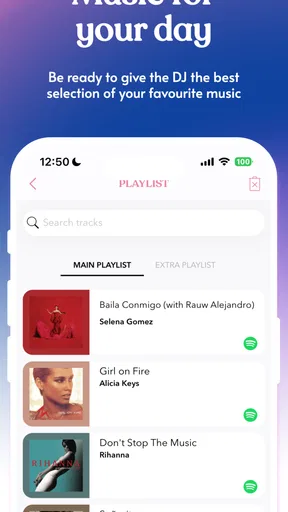

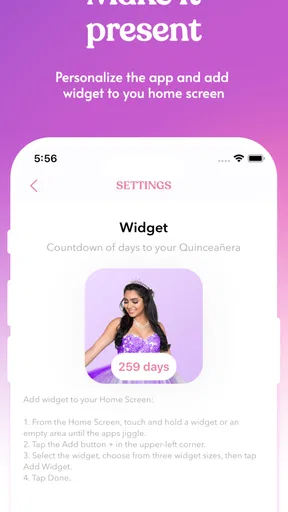
Our Review of Quincy - Quinceanera Planner
 Analysis by Appyee
When I first stumbled upon Quincy - Quinceanera Planner, I was intrigued. Planning a Quinceañera can be a whirlwind of excitement and stress, and having an app that promises to streamline the process sounded like a dream come true. So, I did what any curious person would do—I downloaded it and took it for a spin.
Where I’d Start: One Shared Planning Routine
I’d begin by treating the checklist as the home base rather than trying to solve the whole celebration in one sitting. First, gather the family’s must-haves, then use the tasks to turn those ideas into decisions that can be handled one at a time. That approach is especially useful when the guest list, dress, venue, and family traditions all need attention at once.
A practical habit is to review the list together at a regular time, even if it is only a quick check-in. Decide who will follow up on each open task and what needs a decision before the next conversation. The app can organize the planning, but clear ownership still matters: without it, several relatives may assume someone else has contacted a vendor or confirmed a detail.
Checking Costs Before They Become a Surprise
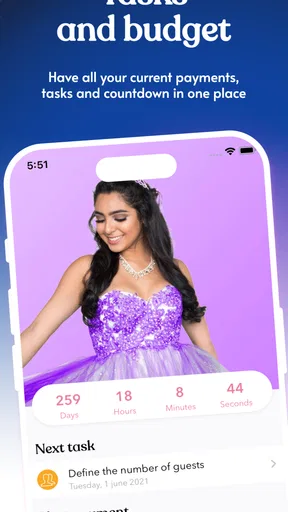
The budgeting feature is most useful when the family agrees on realistic priorities before entering expenses. I’d separate essential commitments from items that are desirable but flexible, then revisit the allocations whenever a major choice changes the plan. This makes the budget a decision aid, not just a record of money already spent.
For example, if a dress choice affects how much remains for decorations, recording the change promptly makes that trade-off visible while there is still time to adjust. I would also keep receipts and final agreements somewhere dependable outside the app if the family needs formal records. A planning tool can help keep figures in view, but it should not replace invoices, contracts, or direct confirmation with a business.
A User-Friendly Experience
Right off the bat, I was impressed with the app’s sleek and colorful interface. It’s designed in such a way that makes navigating through it a breeze. Whether you're a tech-savvy teen or a busy parent, you'll find everything you need at your fingertips. The app does a fantastic job of guiding you through each step, ensuring no detail is overlooked.
Event Planning Made Simple
The main feature of Quincy - Quinceanera Planner is its ability to break down the entire Quinceañera planning process into manageable tasks. It offers a comprehensive checklist that covers everything from booking venues and selecting a theme to sending out invitations and arranging the catering. You can even customize tasks to fit your specific needs, which is a nice touch.
One of the standout features is the budgeting tool. We all know how quickly costs can add up, and having a clear visual of your expenses helps keep things under control. You can input your budget, track expenses, and adjust allocations as needed, ensuring you stay on track financially.
Vendor Connections and More
Another handy feature is the vendor directory. The app connects you with local vendors, complete with reviews and contact information. This saves you the hassle of scouring the internet for reliable services. Plus, you can easily contact vendors directly through the app, making communication seamless.
Beyond vendors, the app also offers inspiration galleries. Whether you're searching for dress ideas, decoration styles, or cake designs, you’ll find a wealth of images and ideas to spark your creativity. I found myself scrolling through these galleries more than I’d like to admit—it’s quite addictive!
Making Inspiration Useful, Not Overwhelming
Browsing dress and decoration ideas can easily turn into collecting beautiful pictures without making any decisions. I found it more helpful to look at the galleries with a specific question in mind: what style feels right, what details are practical for the celebration, and what can the family afford? Saving a short list of favorites for discussion is more useful than treating every image as a must-have.
The same goes for the vendor directory. I’d use it to create a shortlist, then ask each candidate the same basic questions about availability, services, and costs. Reviews can help narrow the field, but they are not a substitute for checking details directly. This small routine makes the directory a starting point for research rather than a reason to book too quickly.
Sharing and Collaboration
One of the sweetest parts of planning a Quinceañera is sharing the experience with loved ones. Quincy makes this easy with its sharing and collaboration features. You can invite family and friends to join the app, allowing them to view and contribute to the planning process. This feature is perfect for gathering input and making decisions as a team.
Keeping Collaboration Manageable
More people can mean more helpful ideas, but it can also mean more opinions than the guest of honor wants to sort through. I’d invite the relatives who have a real planning role and agree on which choices are open for group input. For personal decisions, such as the dress, it may be kinder to keep the conversation small and focused.
A realistic example is a parent checking the budget after work, while another relative follows up on a vendor and the teen gathers dress inspiration. A short family check-in can then turn those separate efforts into a clear next step. The app’s shared planning is most valuable when it supports that kind of division of labor, rather than putting every decision up for a vote.
Notifications and Reminders
We all have those moments where we forget a crucial detail, but Quincy has got you covered. The app sends reminders and notifications for upcoming tasks and deadlines, ensuring you don’t miss a beat. It’s like having a personal assistant in your pocket, gently nudging you to stay on track.
Using Reminders Without Letting Them Run the Day
Reminders work best when the family treats them as prompts to act, not as proof that everything is handled. When one appears, I’d either complete the task, assign a clear follow-up, or adjust the plan if circumstances have changed. That quick response keeps an alert from becoming background noise.
For tasks with outside dependencies, such as waiting for a vendor reply, it helps to note the next action rather than simply leaving the item open. A follow-up date or a brief check-in routine can prevent a quiet delay from becoming a last-minute scramble. This is a useful habit whether the family is planning months ahead or coordinating a smaller celebration on a tighter schedule.
What It Can and Cannot Replace
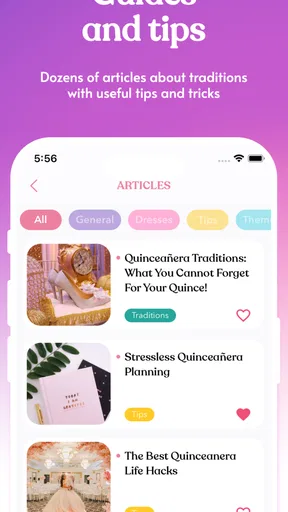
Quincy is focused on the particular mix of checklist planning, guests, dress ideas, and event decisions that comes with a Quinceañera. Compared with a generic notes app or a family group chat, it gives the celebration a more relevant structure. Those usual alternatives can still be better for long conversations, sharing documents, or keeping records that everyone already knows how to access.
I would not rely on one planning app as the sole authority for guest confirmations, contracts, or time-sensitive arrangements. Families should verify important details directly with guests and vendors, and keep essential information in a format they can retrieve if a relative does not use the app. Quincy is a useful organizer, not a replacement for communication and careful confirmation.
The app is free to download and is made by Events Apps. Its Everyone age rating makes it suitable for a broad family audience, while optional in-app purchases range from $0.99 to $7.99 per item. It has a 4.7 average from around 771 ratings and over 100K installs. The current version is 1.7.3, and it requires Android 9 or later.
Who I’d Recommend It To
I’d recommend Quincy to a family that wants one Quinceañera-centered place to organize tasks and involve relatives, especially if planning is currently scattered across messages and memory. It can also help someone early in the process who wants a guided starting point before making a long list of decisions.
I’d choose a different approach if the event is very small, the family already has a planning system everyone follows, or the main need is detailed document management rather than event tasks and inspiration. The app’s focused approach is a strength, but it will not automatically settle disagreements, confirm bookings, or make every family member comfortable using a shared tool.
The Final Word
After spending some quality time with Quincy - Quinceanera Planner, I can confidently say that it’s a must-have for anyone planning a Quinceañera. It takes the stress out of the process, allowing you to focus on what truly matters—celebrating this important milestone in a young girl’s life.
If you're in the midst of planning, or even if you’re just starting to consider what your Quinceañera might look like, I highly recommend downloading Quincy. It’s like having a knowledgeable friend guiding you every step of the way, ensuring your event goes off without a hitch.
So, go ahead and give it a try. You might just find that planning your Quinceañera is not only manageable but genuinely enjoyable. And that, my friends, is something worth celebrating.
Verdict
Strengths of Quincy - Quinceanera Planner
- User-friendly interface, easy to navigate.
- Customizable event planning features.
- Integrated budget tracker for expenses.
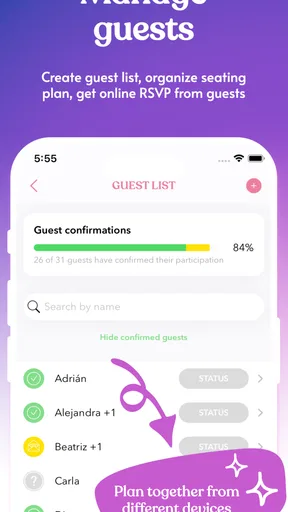
- Guest list management with RSVP tracking.
- Vendor recommendations and reviews.
Limitations of Quincy - Quinceanera Planner
- Limited theme customization options.
- Some features require in-app purchases.
- Not available offline, needs internet.
- Occasional glitches in guest list sync.
- Limited customer support availability.
Similar Picks in This Category
View All
Easy Quran Mp3 Audio Offline
Muslim Worldapp4.7

Invitation Maker: Cards & RSVP
Greetings Island4.9

StubHub - Live Event Tickets
StubHub4.3

Fever: Events & Tickets
Fever Labs4.7

Epic Freebie Games Radar
Arioch Pds - Apps & Games4.4

Invitation card Maker, Design
Splendid App Maker4.9
Frequently Asked Questions
What is Quincy - Quinceanera Planner and how does it work?
Quincy - Quinceanera Planner is a comprehensive app designed to help plan a Quinceañera celebration. It provides tools for managing budgets, creating guest lists, and organizing vendors. Users can track RSVPs, customize checklists, and schedule events, ensuring that every aspect of the Quinceañera is efficiently managed from start to finish.
Is Quincy - Quinceanera Planner free to use?
Quincy offers a free version with basic planning tools suitable for smaller events. For more advanced features such as premium templates, expanded guest lists, and vendor recommendations, users can opt for a subscription or one-time purchase. The app provides flexibility to cater to different planning needs and budgets.
Can Quincy - Quinceanera Planner be used offline?
While Quincy - Quinceanera Planner offers some offline functionalities, such as viewing saved information and making edits, certain features require an internet connection. These include syncing data across devices, accessing online vendor directories, and receiving real-time updates. For optimal use, a stable internet connection is recommended.
How customizable is Quincy - Quinceanera Planner?
Quincy offers extensive customization options to fit individual preferences and themes. Users can personalize checklists, budget categories, and event timelines. The app also allows for the creation of custom invitations and thank-you notes, ensuring that every detail of the event reflects the user's unique vision and style.
What kind of support does Quincy - Quinceanera Planner offer?
Quincy provides a range of support options, including an in-app help center with FAQs and tutorials. Users can also contact customer support via email or chat for personalized assistance. The app regularly updates to address user feedback and improve functionality, ensuring a seamless planning experience.
